
Nissan IPDM Replacement: Model-Specific Guidance
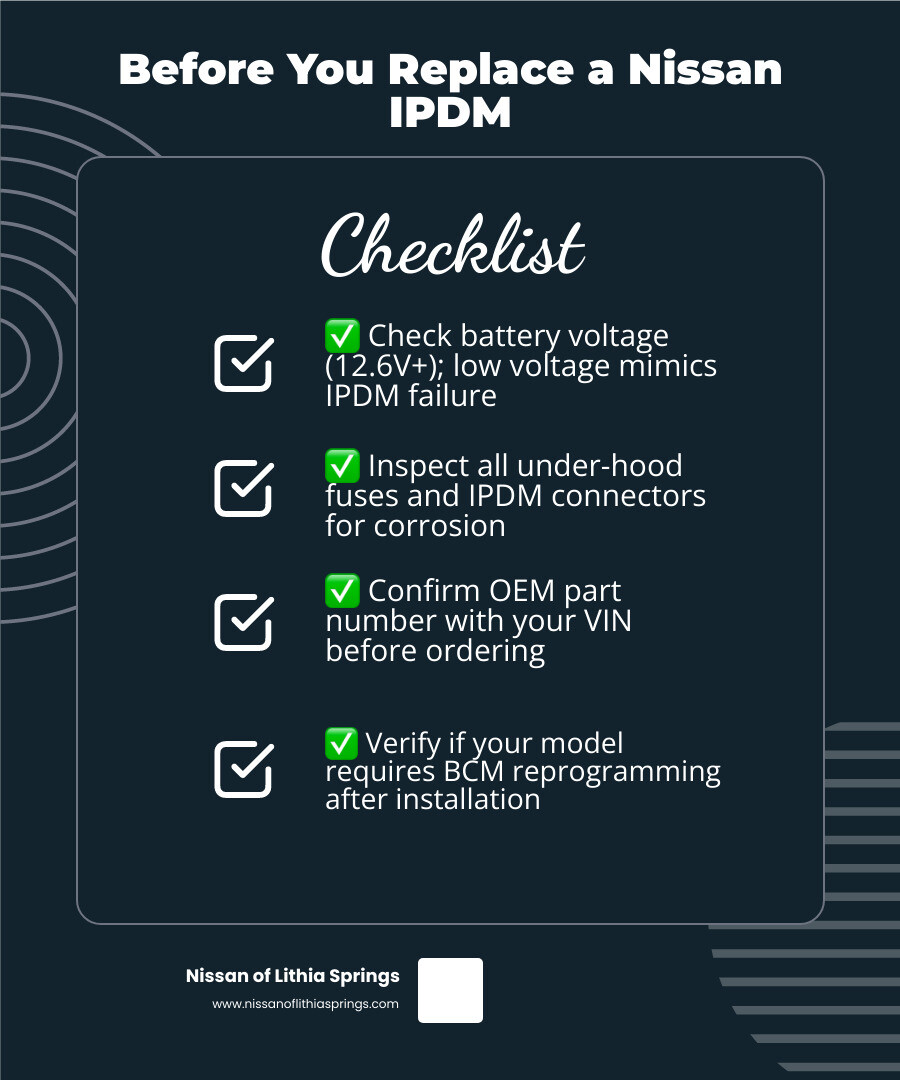
Before You Replace a Nissan IPDM
This article is for informational purposes only and is not a substitute for professional diagnosis or repair. IPDM diagnosis, replacement, and related electrical work should be completed only by a certified Nissan technician. Before conducting any repairs, consult the service department at Nissan of Lithia Springs. A weak battery or loose connection can resemble a failed module, and the correct replacement procedure, part number, and any required setup depend on the vehicle’s VIN and configuration.
The IPDM routes power to several electrical systems, so one fault can cause symptoms that seem unrelated, such as a no-start and lights that stop working. This guide will help you narrow down the cause, decide whether the job is right for you, and avoid ordering the wrong part.
I'm Vaughn Smith, Marketing Director for Smith Automotive Group, the automotive group that includes Nissan of Lithia Springs. My dealership experience shapes this guide, published in the Nissan of Lithia Springs Blog to help drivers make informed service decisions.
Understanding the Nissan IPDM and Warning Signs of Failure
Modern Nissan trucks, SUVs, and sedans rely on advanced networked modules to manage complex electrical systems. Rather than running thick wiring bundles between individual dashboard switches and under-hood components, Nissan utilizes the Intelligent Power Distribution Module (IPDM). Understanding how this unit works is an important step in evaluating complex electrical concerns.
What the Intelligent Power Distribution Module Controls
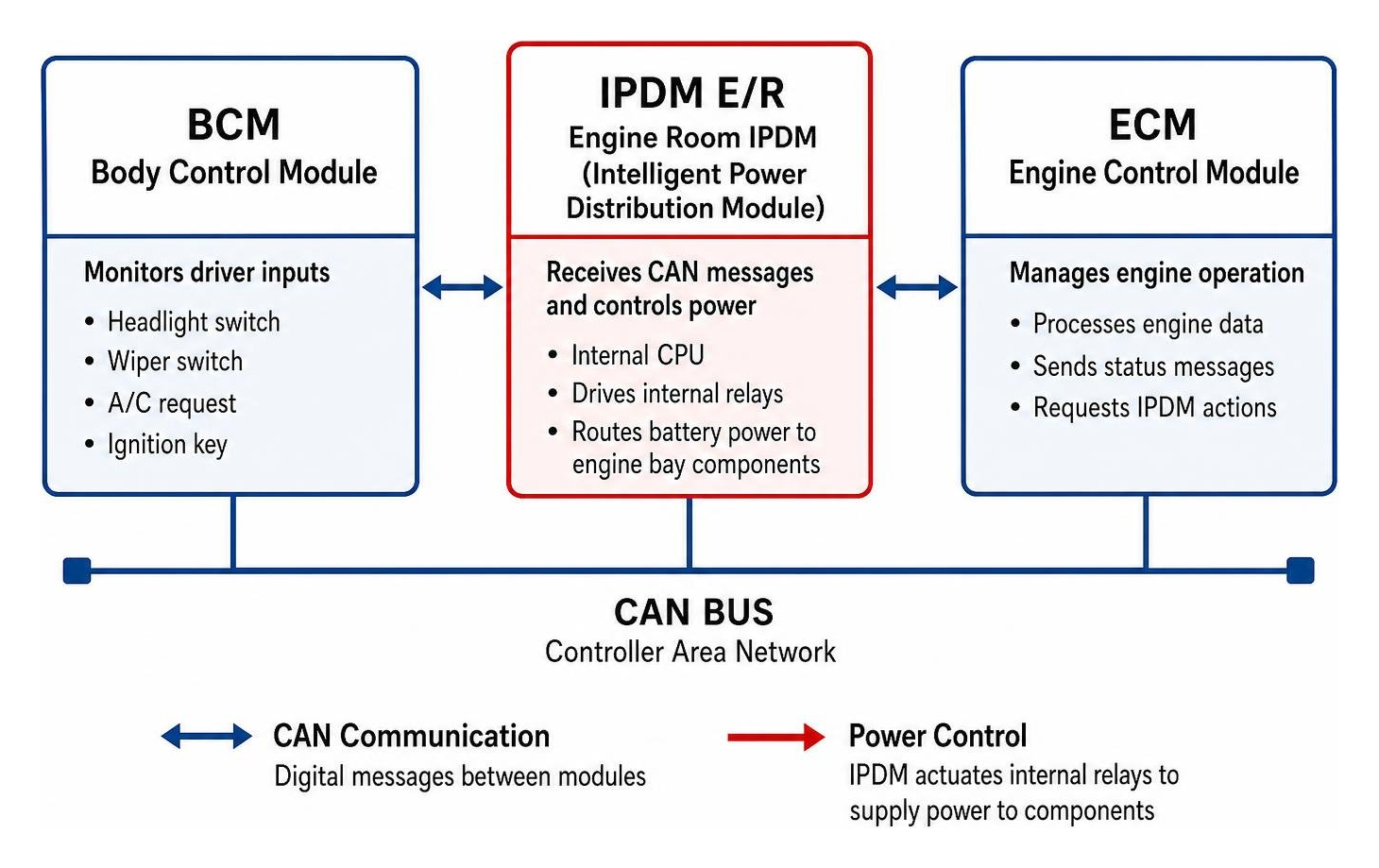
The IPDM, often referred to as the IPDM E/R (Engine Room), serves as an intelligent junction box and relay center located directly in the engine bay. It contains an integrated microprocessor that communicates across the vehicle's Controller Area Network (CAN) bus with the Body Control Module (BCM) and Engine Control Module (ECM).
When you turn on your headlights, engage the air conditioning, or turn the ignition key, the BCM reads your input and sends a low-voltage data command across the CAN bus network. The internal CPU of the IPDM receives this digital message and energizes the corresponding internal relay to route battery power directly to the load. According to official Nissan Factory Service Manual (FSM) documentation across the Power Supply, Ground & Circuit Elements (PG) and Power Control System (PCS) sections for applicable vehicles, this micro-controlled setup manages vital engine room components, which depending on vehicle model year, configuration, and trim typically include:
- High and low beam headlamp circuits, fog lamps, daytime running lights, and taillights
- Variable speed radiator cooling fan relays
- Starter motor relay and starter signal circuits
- Air conditioning compressor clutch activation
- Front and rear windshield wiper and washer motors
- Electronic throttle control actuator and fuel pump feeds
- ECM power supply relay and ignition coil power circuits
Potential Warning Signs of IPDM and Circuit Concerns
Because the IPDM interacts with diverse systems, an electrical fault, wiring concern, or internal relay failure can produce symptoms that mimic other component failures. A comprehensive in-person inspection is necessary to pinpoint the root cause, as these common warning signs can stem from multiple electrical or mechanical sources:
- Intermittent Crank or No-Start Condition: The engine cranks but fails to start when an ECM power relay or circuit fails to deliver consistent voltage to the engine control computer.
- Sudden Engine Stalling at Low Speeds: Oxidized relay contacts or ground voltage drops can momentarily interrupt power to ignition circuits.
- Erratic Lighting or Wiper Behavior: Headlights staying illuminated or windshield wipers running without direct switch input due to stuck relays or CAN communication faults.
- Persistent Parasitic Battery Drain: A relay that sticks closed can keep an auxiliary circuit energized when the vehicle is parked, drawing down the battery.
- Diagnostic Trouble Codes: Stored network or power circuit fault codes, such as U0100 or specific power distribution DTCs, indicating communication or voltage supply anomalies.
How to Test and Diagnose IPDM Issues Without a Scan Tool
Before purchasing replacement components, thorough preliminary testing helps determine whether an issue involves module circuitry, individual relays, switches, or external wiring. A complete hands-on inspection against official Nissan service procedures remains essential for definitive diagnosis.
Running the Built-In IPDM Diagnostic Self-Test
Nissan engineering includes a tool-free diagnostic routine directly in the IPDM logic on select CAN-bus equipped models, documented in official Nissan Factory Service Manuals as the Auto Active Test. This self-test cycles through primary engine room circuits automatically to confirm that the IPDM logic, internal relay drivers, and output circuits respond correctly without requiring switch inputs from the cabin.
Because exact sequence steps, timing, and component operations vary by specific model year, body style, and option package, always verify the exact procedure in the model-specific Nissan service manual. On applicable configurations (such as select 2004 to 2015 Titan and Armada, 2005 to 2019 Frontier, 2005 to 2012 Pathfinder, and select Altima, Maxima, and Murano model years), the typical initiation sequence specified in Nissan FSM section PCS/PG is:
- Close all vehicle doors and ensure the hood is securely latched.
- Turn the ignition switch from OFF to ON (do not crank or start the engine).
- Within 20 seconds of turning the ignition on, press the driver-side door jamb switch 10 times consecutively.
- Turn the ignition switch back to OFF.
- Within 10 seconds, turn the ignition back to the ON position and leave it there.
When successfully initiated on equipped vehicles, the horn chirps or the oil pressure warning light flashes, and the IPDM executes its programmed test cycle:
- Rear defogger operates for approximately 10 seconds.
- Windshield wipers sweep through low and high speeds.
- Parking lamps, fog lamps, taillights, and license plate lamps illuminate.
- Low beam headlights activate, followed by high beam headlights.
- The air conditioning compressor clutch cycles.
- The radiator cooling fans cycle through available operating speeds.
- The oil pressure warning lamp flashes on the instrument cluster.
If a component fails to activate during the automated self-test, the concern may be isolated to that component's bulb, motor, ground, harness, or dedicated IPDM output pin. If the component operates during the self-test but does not respond to cabin controls during normal operation, the issue often points to the switch, BCM, or CAN communication circuit. These tests narrow possibilities but require physical inspection of wiring and connectors to confirm.
Multimeter Testing and Circuit Verification
When investigating an intermittent no-start or electrical issue, use a digital multimeter to verify baseline electrical values against the official Nissan electrical specifications in the applicable Factory Service Manual:
- Resting Battery Voltage: A fully charged 12-volt automotive battery typically measures between 12.4V and 12.8V at rest. Low voltage can disrupt module communication and produce false diagnostic symptoms.
- Cranking Voltage: During engine cranking, battery voltage should generally remain above 9.6V under standard starter load according to factory electrical baseline standards. Voltage dropping below factory thresholds can cause electronic control modules to reset.
- Voltage Drop on Power Feeds: Back-probe fused main power circuits at the IPDM while operating accessories. Significant voltage drop (typically exceeding 0.2V to 0.5V depending on circuit load and model-specific FSM tolerances) suggests high resistance, loose terminals, or corroded wiring.
- Ground Integrity: Measure resistance between the module's primary ground terminals and a clean chassis ground point. Resistance should read near zero ohms according to factory wiring standards.
Step-by-Step Nissan IPDM Replacement Guide
If systematic diagnostic testing and in-person inspection confirm internal module failure or burnt board traces, replacing the IPDM requires careful adherence to manufacturer service safety protocols. Accessibility and complexity vary significantly across models, as some require cowl panel or battery tray removal.
Required Tools and Preparation for Nissan IPDM Replacement
Gather appropriate tools before beginning:
- 10mm socket, ratchet, and extension
- Long-nose pliers with coated jaws for releasing harness lock tabs
- Nylon trim panel clip tools
- Clean shop towels and electrical contact cleaner
- Dielectric grease for weather-pack connector seals where specified by Nissan service manuals
- Safety glasses and mechanics gloves
Turn the ignition off and allow the vehicle to rest undisturbed for at least 15 minutes before disconnecting electrical connections. This ensures all control modules complete power-down routines and enter sleep mode.
Removal and Installation Steps for Nissan IPDM Replacement
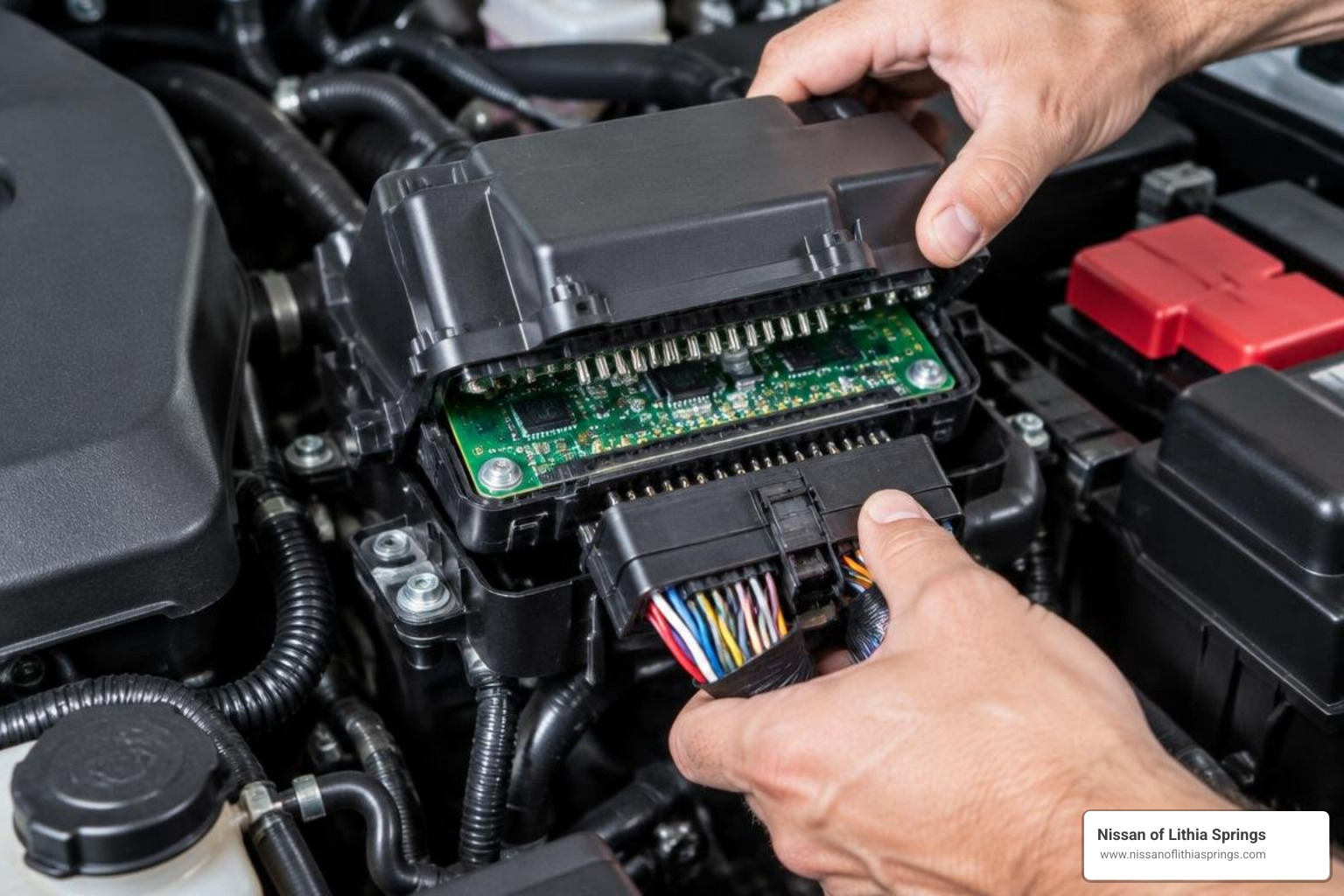
The following overview explains the type of work involved; it is not a do-it-yourself repair procedure. IPDM replacement and related electrical work should be completed only by a certified Nissan technician. Consult the Nissan of Lithia Springs service department before authorizing or attempting repairs, and have the technician use your VIN and the applicable Nissan service information.
- Disconnect the Battery: Disconnect the negative battery cable first using a 10mm wrench or socket, followed by the positive cable. Isolate the cables to prevent accidental contact during service.
- Access the Module Housing: Locate the IPDM in the engine bay, commonly situated near the battery or beneath cowl trim on the passenger or driver side depending on platform layout. Release the protective weather cover clips.
- Release Module Retaining Tabs: Carefully depress the housing retaining tabs and lift the IPDM assembly upward to access the wiring harness connections underneath.
- Disconnect Harness Plugs: Nissan IPDMs utilize multiple multi-pin harness connectors. Press the locking release tab on each connector body and pull the connector housing straight out. Never pull on individual wiring leads.
- Inspect Connector Terminals: Inspect pins and cavities for corrosion, bent terminals, or signs of thermal distress. Clean dirty connections with approved electrical cleaner and let dry completely.
- Seat the Replacement Module: When you order genuine OEM parts, you can also review Nissan’s IPDM engine room control unit parts search. Before ordering, verify the replacement part number matches your vehicle's VIN and production date. Connect each harness plug firmly until the locking tab audibly engages.
- Reassemble and Reconnect: Reinstall the IPDM securely into its mounting bracket, fasten the protective cover, and reconnect the positive battery terminal followed by the negative terminal.
Emergency Temporary ECM Relay Swap on Specific Models
On select mid-2000s Nissan full-size and mid-size trucks and SUVs equipped with removable micro-relays (specifically select 2004 to 2006 Titan, Armada, Frontier, Pathfinder, and Xterra configurations), an oxidized ECM relay contact could cause an engine no-start. On these specific models, if identical modular relays are used for non-essential circuits such as the front fog lamps, temporarily swapping the fog lamp relay into the ECM relay position may allow the engine to start for emergency transport.
This swap is strictly a temporary measure. It does not correct underlying relay wear, and it is only applicable to modular relay designs from those specific model years. Later Nissan vehicles and unibody models utilize permanently soldered internal relays on sealed printed circuit boards, where individual relay swapping is not possible.
Costs, Programming Requirements, and Part Selection
Selecting the correct replacement part and understanding configuration requirements helps prevent installation errors and functional mismatches.
Programming and Calibration Requirements Across Model Years
Configuration requirements depend on the vehicle's model year, electronic architecture, and installed options according to official Nissan service publications:
- Hardware-Based IPDM Assemblies: On select earlier Nissan platforms (such as first-generation Titan, Armada, and early D40 Frontier models), the IPDM serves primarily as an integrated relay and fuse junction with basic micro-logic. When ordered with the exact part number matched to the vehicle VIN, these units generally operate without software configuration.
- Network-Configured IPDM Platforms: On newer Nissan models and vehicles equipped with advanced driver-assistance, intelligent power management, or intelligent access systems, replacing the IPDM requires configuration with a Nissan CONSULT diagnostic system. This includes writing vehicle parameters, performing Auto-Configuration, and calibrating systems such as charging logic, intelligent lighting, and body sub-systems.
If a replacement module requires programming or exhibits system warning indicators after installation, review our current service specials to arrange certified dealership configuration.
OEM vs. Aftermarket vs. Remanufactured Modules
Evaluate replacement options across reliability, exact vehicle fitment, and warranty coverage:
| Feature / Criteria | Genuine OEM Nissan IPDM | Aftermarket Replacement | Remanufactured / Used Module |
|---|---|---|---|
| Component Quality | Built to exact Nissan engineering standards with factory-spec solid-state relays | Variable build quality; component tolerances and solder quality may differ | Original casing with repaired circuit traces or replaced modular relays |
| Vehicle Fitment | Exact fitment and pin configuration matched by VIN | Form factor matches, but harness engagement tabs may vary | Matches original casing; requires verification of exact part revision |
| Programming Support | Compatible with Nissan CONSULT auto-configuration and diagnostics | May present communication or calibration challenges with factory tools | Retains donor vehicle programming; requires reconfiguration on newer platforms |
| Expected Lifespan | Engineered for vehicle-specific thermal and electrical demands | Lifespan varies based on component grade and operating heat cycles | Dependent on donor vehicle age, mileage, and past thermal exposure |
| Warranty Protection | Covered under Nissan Genuine Parts limited warranty terms | Covered by aftermarket manufacturer warranty terms | Limited salvage yard or rebuilder warranty terms |
Always confirm current superseding part numbers through an authorized Nissan parts counter. On select early-generation truck platforms, original white-cased modules were superseded by updated black-cased units featuring revised internal circuit protection.
Technical Service Bulletins and Preventive Maintenance
Nissan addressed specific engine stalling conditions on select 2004 to 2006 Armada, Titan, Frontier, Pathfinder, and Xterra vehicles under Technical Service Bulletin NTB10-137 (Voluntary Service Campaign R1022). In affected vehicles within specified VIN ranges, relay contact oxidation could interrupt power to the ECM. For eligible vehicles covered by that campaign, Nissan designated an ECM relay replacement kit (Part # 284B7-CW29E) and service procedure using tool J-50389.
To help maintain IPDM longevity across all model years:
- Keep windshield cowl drains clear of leaves and debris to prevent water overflow onto electrical junction boxes.
- Avoid high-pressure water spray directed at under-hood electrical enclosures.
- Inspect the module enclosure cover and seals periodically to ensure moisture-tight sealing as recommended in Nissan preventive maintenance guidelines.
Frequently Asked Questions About Nissan IPDMs
Can a bad IPDM cause a Nissan to stall while driving?
Yes. If the internal ECM power relay contacts vibrate loose or suffer from thermal oxidation, power delivery to the engine computer cuts out instantly. This results in immediate stalling without warning, often at low speeds or when idling at traffic lights.
Does every Nissan model require IPDM reprogramming after replacement?
No. Hardware-based IPDM units used on earlier Nissan models generally operate immediately upon installation when matched to the vehicle's exact part number. However, many newer Nissan models require Auto-Configuration and calibration using Nissan CONSULT diagnostic software to align vehicle options and network communication.
Can I replace only a single relay inside the IPDM?
For most modern Nissan platforms, internal relays are soldered directly to multi-layered printed circuit boards inside a sealed housing, requiring complete module replacement. Individual relay replacement was only supported under specific factory service campaigns (such as NTB10-137) on select mid-2000s models that used modular, removable relays.
Conclusion
A failing Intelligent Power Distribution Module can disrupt your daily routine with frustrating electrical problems, from random no-start mornings to sudden engine cutouts. Because IPDM faults can involve electrical safety risks, vehicle-specific programming, and overlapping symptoms, diagnosis and repair should be handled by a certified Nissan technician rather than attempted as a do-it-yourself repair.
Before conducting any repairs, consult the Nissan of Lithia Springs service department. Our certified Nissan technicians can provide model-specific diagnostic evaluation, programming when required, and factory-backed parts. Contact our team to schedule certified Nissan service and help keep your vehicle operating safely and dependably across west Atlanta.